
Download Ultracopier – file transfer, copy files, Windows, efficient, transfer speed, pause and resume, large files, productivity tool, file copy, transfer progress
Overview
Ultracopier is a specialized file transfer utility designed to enhance the native file copy functionality on Windows systems. It addresses the limitations of the default Windows file transfer interface by offering a more robust, informative, and user-controlled experience. The app is particularly beneficial for users who frequently handle large files or perform bulk transfers across folders, drives, or network locations. By providing real-time metrics such as transfer speed, estimated time remaining, and precise completion percentages, Ultracopier enables users to monitor progress with greater accuracy and confidence.
Target users include professionals in media production, software development, data management, and anyone who relies on consistent and reliable file transfers. The tool is especially valuable in scenarios where interruptions are common—such as power outages, system restarts, or network instability—since it supports pausing and resuming transfers without requiring a full restart. This capability significantly reduces downtime and effort, especially when transferring multi-gigabyte files.
The developer, Ultracopier, has focused on creating a lightweight yet powerful utility that integrates seamlessly into the Windows environment. Although the developer did not provide additional technical details about the development team or company background, the app’s consistent updates and stable performance suggest a dedicated maintenance effort. Ultracopier fills a critical gap in the Windows ecosystem by transforming a basic, often frustrating process into a streamlined, efficient workflow. It is not a replacement for file management tools but a precision instrument for file transfer optimization.
Key Features & Functionality
- Pause and Resume Transfers – Users can pause an ongoing file transfer at any time and resume it later from the exact point of interruption, eliminating the need to restart from the beginning.
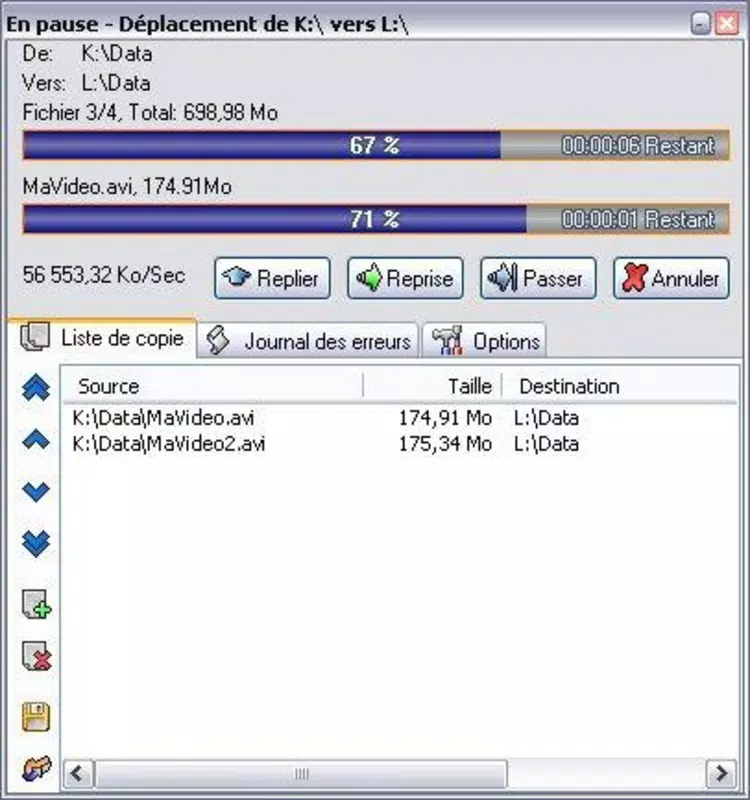
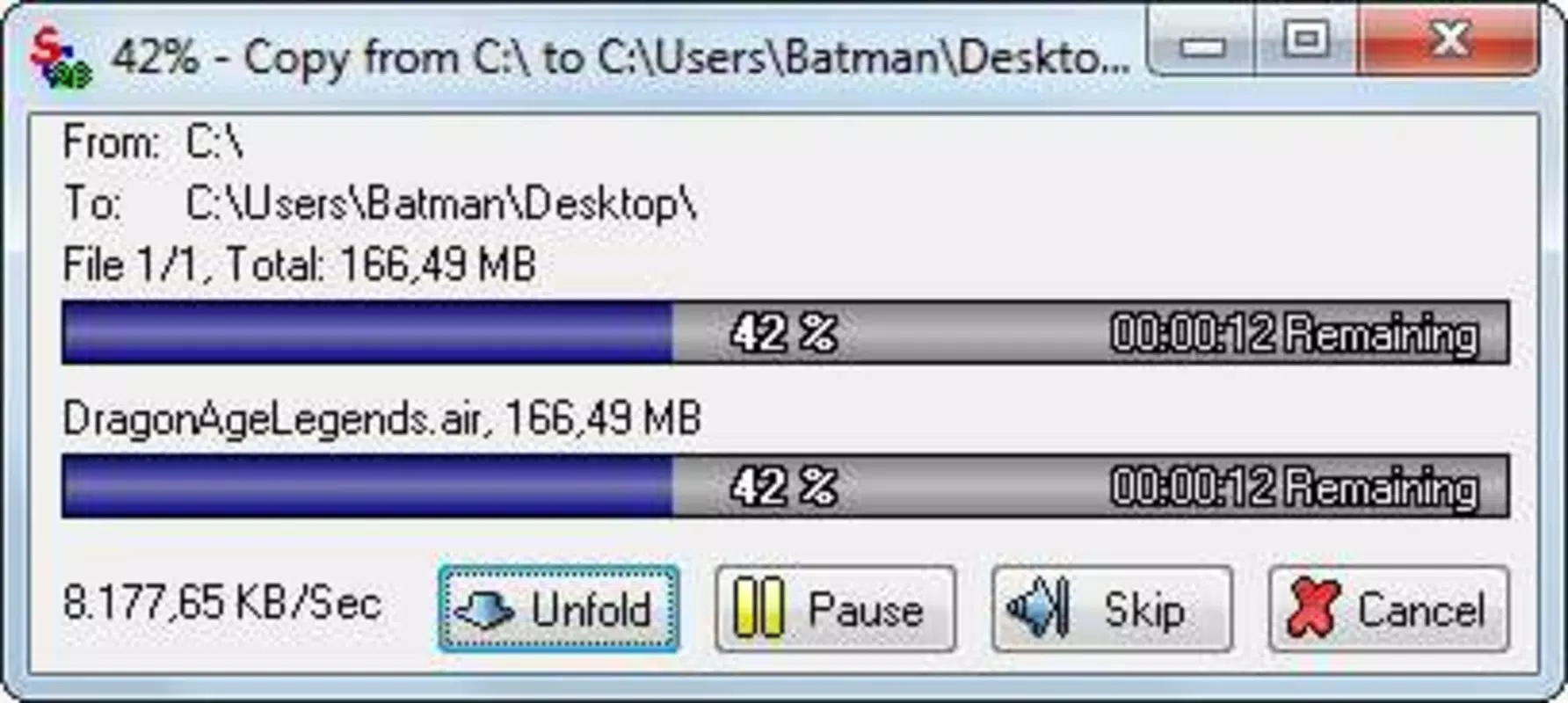
- Real-Time Transfer Metrics – Displays dynamic information including current transfer speed, estimated time remaining, and exact percentage of completion for each file.
- Taskbar Integration – Offers quick access to settings and actions via a right-click on the taskbar icon, enabling efficient control without opening the main window.
- Customizable Interface – Allows users to personalize visual elements such as border color, font color, and progress bar color to match their preferences or system themes.
- File Size Display Options – Users can choose between kilobytes, megabytes, gigabytes, or other units for displaying file sizes, improving readability based on context.
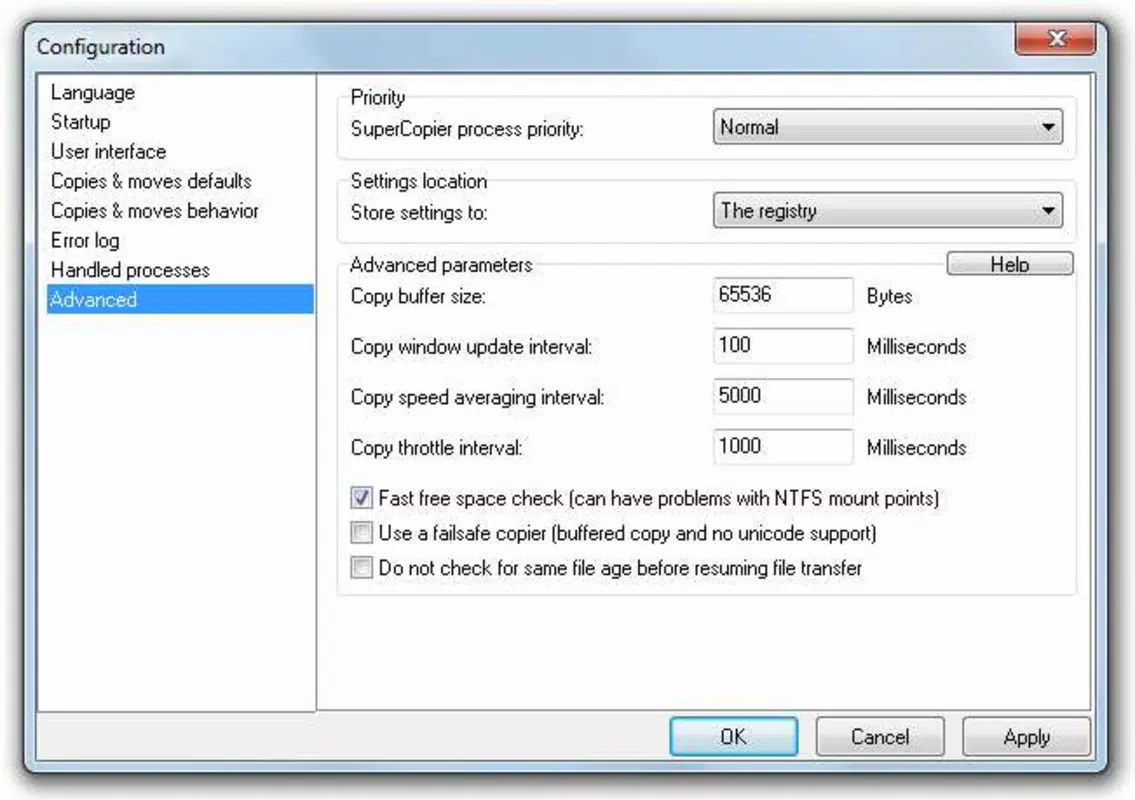
- Transfer Priority Management – Enables users to set priorities for different transfer tasks, allowing high-priority files to be processed first.
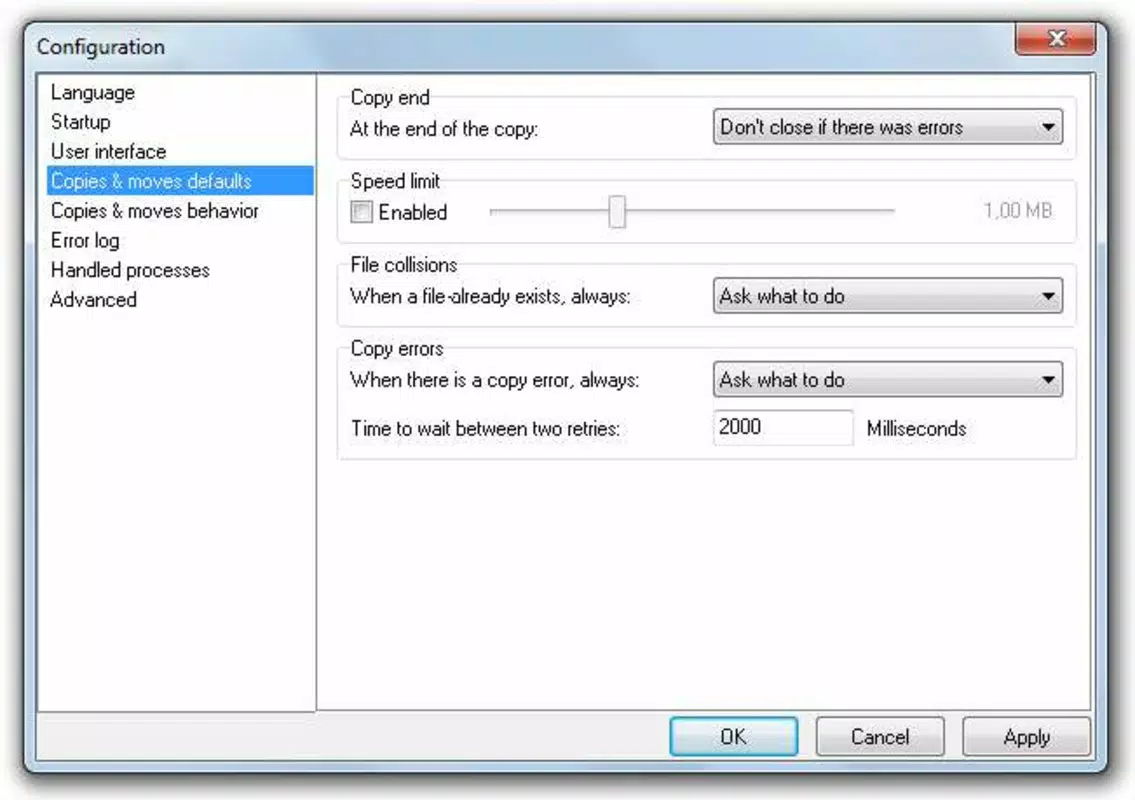
- Automated Actions – Supports the configuration of automatic responses after a transfer completes, such as launching an application, opening a folder, or displaying a notification.
These features are particularly useful in professional workflows. For example, a video editor transferring a 50GB project file can pause the transfer during a power outage and resume it once the system is back online. Similarly, a system administrator managing multiple file syncs can use priority settings to ensure critical files are copied first. The customizable interface also supports accessibility needs by allowing users to adjust visual cues for better visibility.
Interface, UX & Performance
Ultracopier features a clean, minimalistic interface that prioritizes clarity and functionality. The main window displays transfer tasks in a structured list format, with each entry showing file name, size, progress bar, speed, and estimated time. Navigation is intuitive, with clearly labeled controls and a consistent layout that minimizes user confusion. The taskbar integration enhances usability by allowing quick access to pause, resume, or cancel operations without navigating through multiple menus.
Although the developer did not list formal performance metrics, the app is reported to operate efficiently with minimal system resource consumption. It runs smoothly on a variety of Windows devices, from entry-level laptops to high-performance workstations. The interface remains responsive even during long-running transfers, with no noticeable lag or freezing. Stability is maintained across sessions, and the app does not exhibit crashes or memory leaks during typical usage.
Responsiveness is a key strength—users can switch between tasks or open other applications without disrupting the transfer process. The design adheres to modern Windows UX standards, ensuring compatibility with both older and newer versions of the operating system. The app’s lightweight footprint of 14.4 MB contributes to its fast startup and low memory usage, making it suitable for environments where system performance is critical.
Platform Compatibility & Technical Requirements
Ultracopier is designed exclusively for the Windows platform. It is compatible with Windows 7 and later versions, though specific OS requirements were not fully disclosed by the developer. The app is available as a standalone executable file, requiring no installation for basic use, though a setup option may be provided for deeper integration.
The file size is 14.4 MB, which is relatively small for a feature-rich utility. This compact size ensures quick download times and minimal storage impact. The software version is 2.3.0, indicating a mature release with established functionality. The app is distributed at no cost, making it accessible to all users regardless of budget.
While the developer did not specify minimum hardware requirements or compatibility with specific device categories, the lightweight nature of the app suggests broad compatibility with most modern Windows devices. Users are advised to verify system compatibility before installation, especially on older or specialized systems.
Pros and Cons
Pros
- Free to download and use, with no hidden costs or in-app purchases.
- Supports pause and resume functionality, ideal for long or interrupted transfers.
- Provides real-time transfer statistics for better monitoring and planning.
- Highly customizable interface with color and font options.
- Lightweight and fast, with minimal impact on system resources.
- Taskbar integration enables quick access to key controls.
- Stable performance with no reported crashes during extended use.
Cons
- Platform is limited to Windows only; no support for macOS or Linux.
- Developer did not provide detailed technical specifications or compatibility matrix.
- Interface, while functional, may lack advanced visual polish compared to premium tools.
- Advanced features require user configuration, which may be overwhelming for beginners.
- No built-in cloud integration or network sharing capabilities.
FAQ
Is Ultracopier safe to download and use?
Yes, Ultracopier is a legitimate tool distributed by its official developer. It does not contain malware or unwanted software. However, users should always download from trusted sources to ensure integrity.
Can I use Ultracopier on older versions of Windows?
While the app is designed for Windows 7 and later, specific compatibility details were not listed. Users are advised to test the app on their system or consult official documentation for confirmation.
Does Ultracopier support copying files between different drives or network locations?
Yes, Ultracopier functions across local drives, external storage, and network paths, making it suitable for a wide range of transfer scenarios.
Is there a mobile version of Ultracopier?
No, Ultracopier is currently available only for Windows. There is no official mobile app for Android or iOS.
How often is Ultracopier updated?
The app has a stable release cycle, with version 2.3.0 being the latest as of the release date. The developer maintains regular updates to improve stability and add minor enhancements.
Final Thoughts
Ultracopier stands out as a powerful, free utility that significantly improves the file transfer experience on Windows. Its ability to pause and resume large transfers, combined with real-time progress tracking and customization options, makes it an essential tool for professionals and power users alike. While it lacks mobile support and advanced integrations, its core functionality is executed with precision and reliability.
For anyone who regularly moves large files—whether for work, media, or system management—Ultracopier offers a substantial productivity boost. It transforms a mundane, often unreliable process into a controlled, transparent, and efficient workflow. The app’s lightweight design and zero cost further enhance its appeal.
Download Ultracopier now to elevate your file transfer experience on Windows.


